Here in this article, I am going to teach you step by step how to create a website on WordPress. Yes, you are going to know how to create a website on your own without attending a live tutorial.
At the end of this article, you will have a good looking professional website without stressing your brain. because what I am going to teach you here is how to create a website from scratch on WordPress.
Why do you need a website?
When it comes to marketing, your website is a powerful marketing tool.
There’s no excuse why you shouldn’t have a website, even if you are just starting your business.
The truth is many potential customers and clients won’t take you seriously without your business appearing online. and you can’t appear online if you don’t create a website for your business.
One of the most obvious benefits of having a small business website is that it enables people to find you online and get in touch with you easily.
It helps gain a competitive advantage in your industry and improve your business image.
When you create a website for your business, you get more customers online via search engine searches, increase sales, and enhance your professional brand.
have you been stucked trying to create a website for your business? or are you interested in creating a website and make a living from it? Either for yourself or for clients.
Learning how to create a website and Starting a website can be a terrifying thought, most especially when you have no idea to code.
But don’t worry there is an alternative if you don’t know how to code, which is what i am going to teach you here now.
I have helped thousands of people learn to create a website and earn money from their website as well as creating websites for clients.
Yes, you can make money from your website…
This guide is useful for users of all ages and skill levels. However, if you need help, then you can contact our expert team to help you create your website.
I’ll walk you through everything from start to finish. Just follow along with the instructions and you’ll have a professional-looking website at the end.
What type of Website Can you Create on wordpress?
- Business Website
- Online Store
- Landing Page
- Social Media Website
- Forum Website
- Betting/Gambling Website
- Membership Website
- Music Website
- Voting Website
- e.t.c…
Now let get started on how to create a website on wordpress
How to create a website on WordPress
First, to start creating a website on wordpress you need a domain name and a web hosting account.
Why do you need a domain name + web hosting to be able to create a website on WordPress?
A Domain name is the name of your website that people will type in their browser (chrome, firefox, opera mini, e.t.c) to visit your website.
Example of other website domain name:
facebook.com
realjossy.com
google.com
twitter.com e.t.c
Now you know what a domain name is you can learn more here
What is a web hosting?
Web hosting is an online service that enables you to publish your website or web application on the Internet. When you sign up for a web hosting service, you are renting some space on a server where you can store all the files and data necessary for your website to work properly.
If the domain name is the web address of your website, then web hosting is the home where websites live.
You need both to be able to create a website
However, it’s important to remember that they are two separate services, and you can buy them from two different companies.
You just need to edit your domain name settings and enter the Name Server information provided by your hosting company.
I recommend getting both your domain name and hosting from the same company. This allows you to easily manage them under the same account.
Learn more about Web Hosting
Now Let go ahead and get these two things so you can start creating your website.
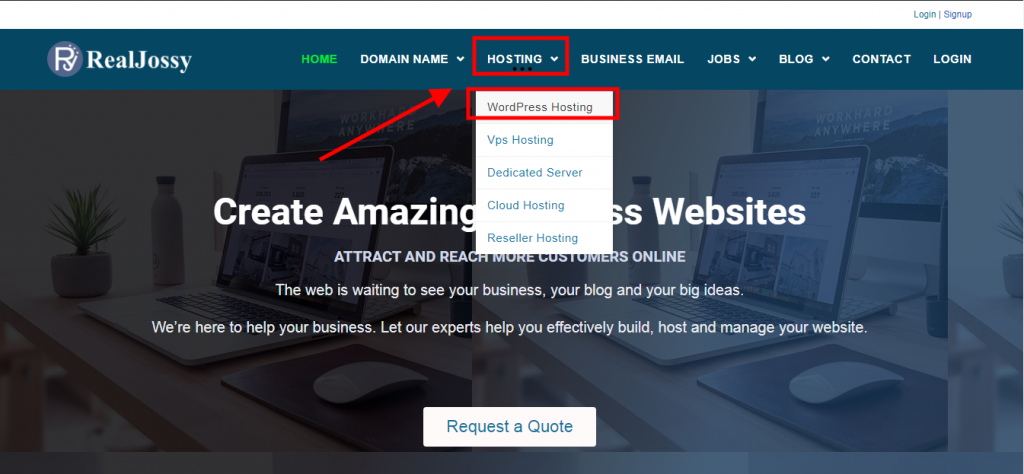
Login to www.realjossy.com and go to HOSTING as shown below. and click on WordPress hosting.
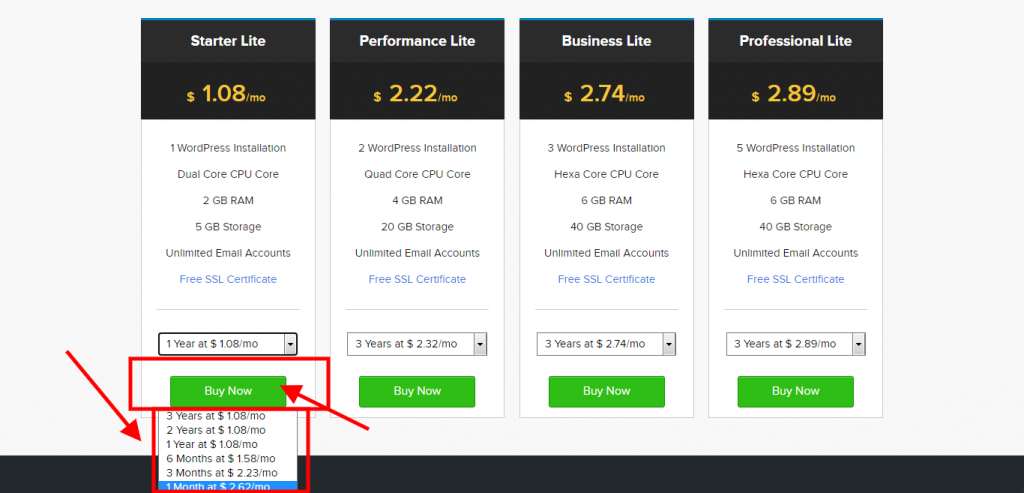
choose a plan to start with depending on your budget. for this tutorial let choose the starter lite plan. and selectly the monthly plan since you are just learning how to create a website.
Note: you can always upgrade your hosting server anytime when your space is filled up without creating a new website.
When you have selected your plan click the Buy now button
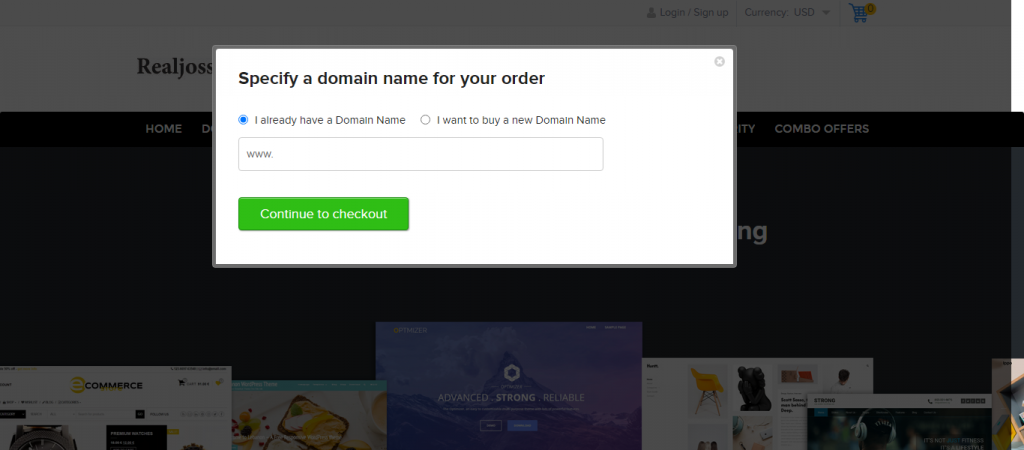
After you have chosen your plan, the next page screen will display asking you to put your domain name.
If you already have a domain name you can choose “I already have a domain name” If you don’t have a domain name you can choose the ” I want to buy a new domain name” put your desire domain name and click the checkout button.
You will be taken to a page where you will create a hosting account using your Email
Scroll down and click the Create an Account in 10 seconds and make payment to complete your order.
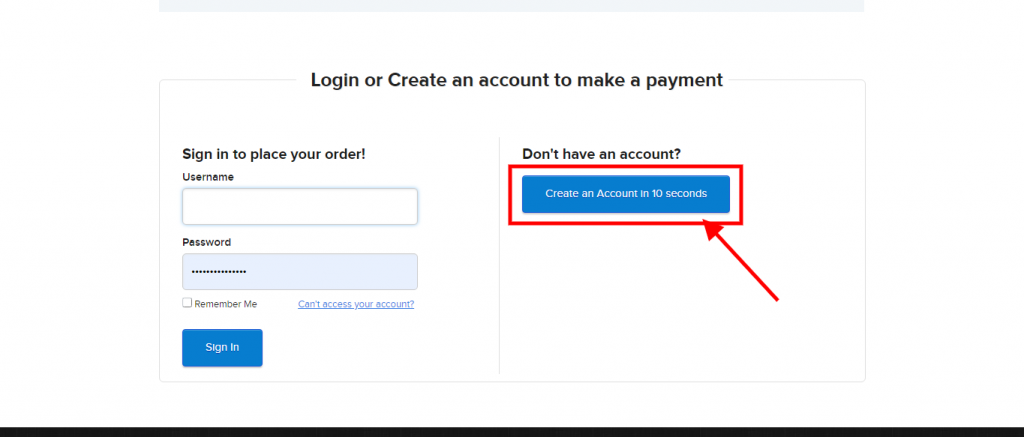
After your payment, your hosting account will be activated with your account login detail sent to your registered Email Address.
Get your login detail and go to www.realjossy.com to login into your hosting account.
Go to Realjossy and click on the Login Botton on the Menu of the website
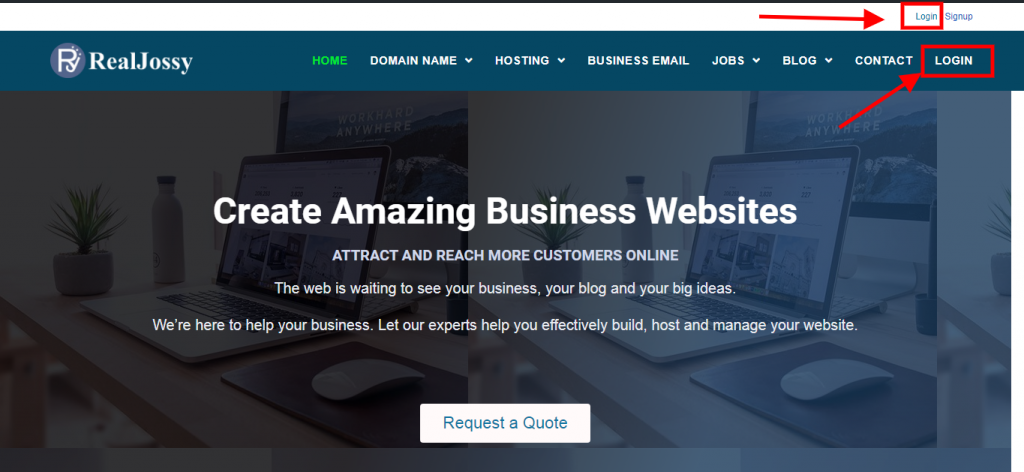
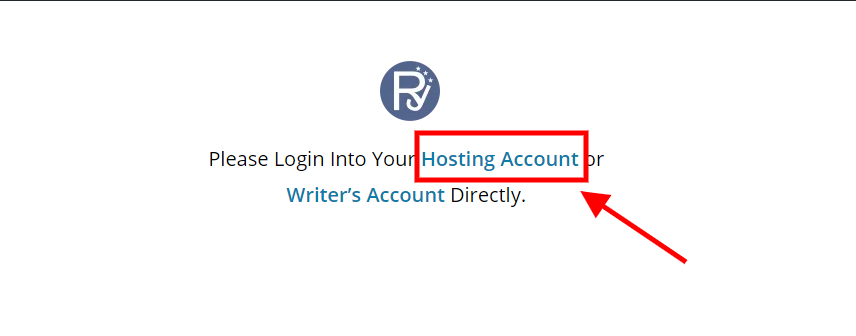
On the next page click on Login to your HOSTING ACCOUNT
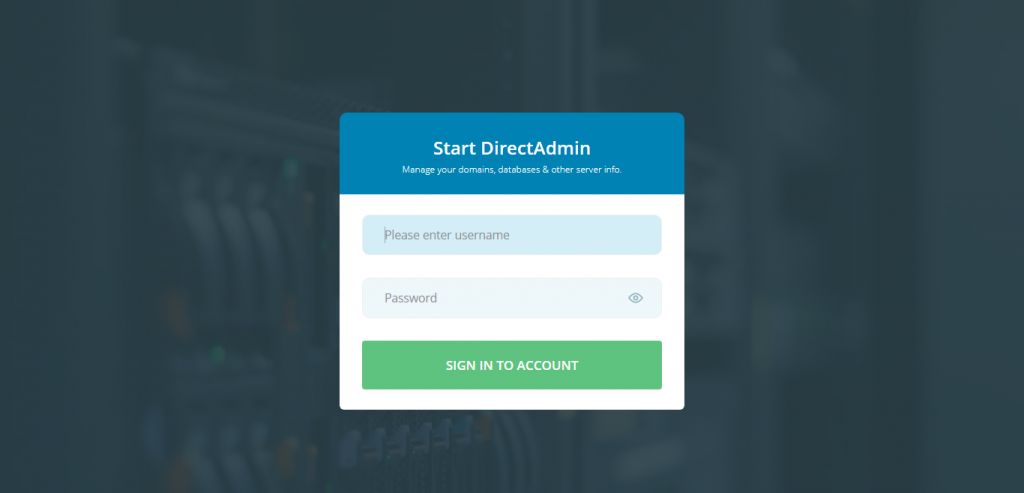
On the next page, Login in with your hosting account login detail to access your Hosting dashboard
The image below is how your hosting dashboard looks like
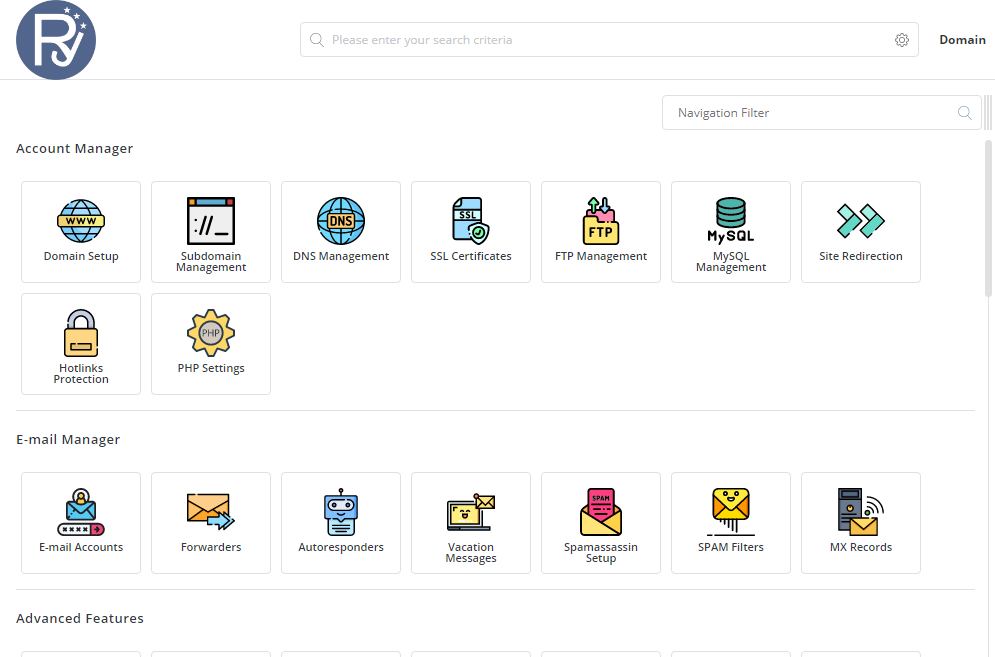
From here you will start creating your website
what are you going to do next?
Scroll down and locate Softaculous Auto Installer Tool as shown below
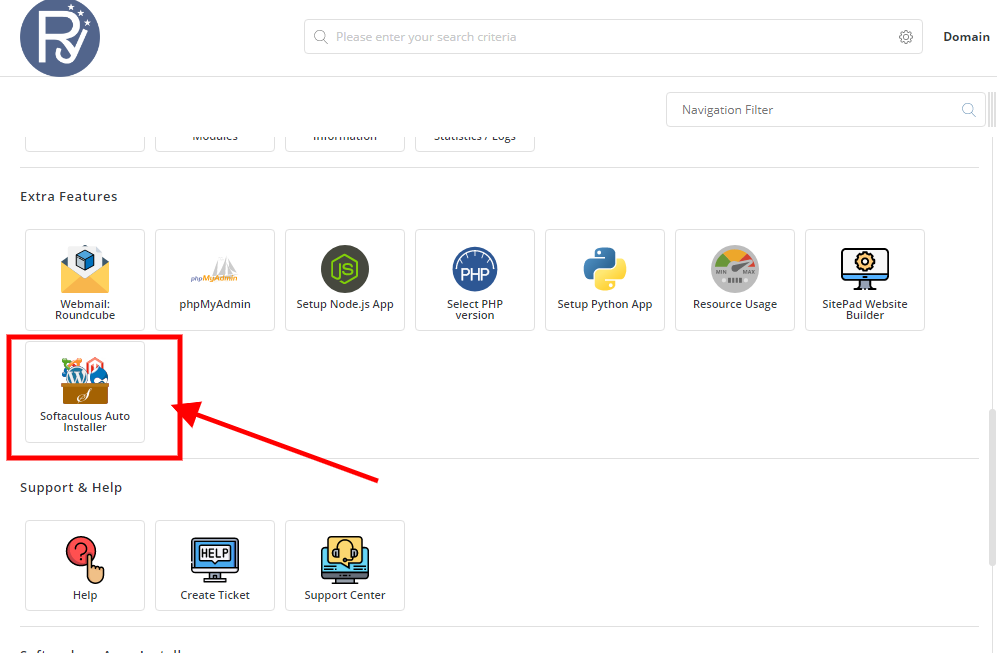
When opened, click on WordPress as shown below to install

On the next page, click on Install Now
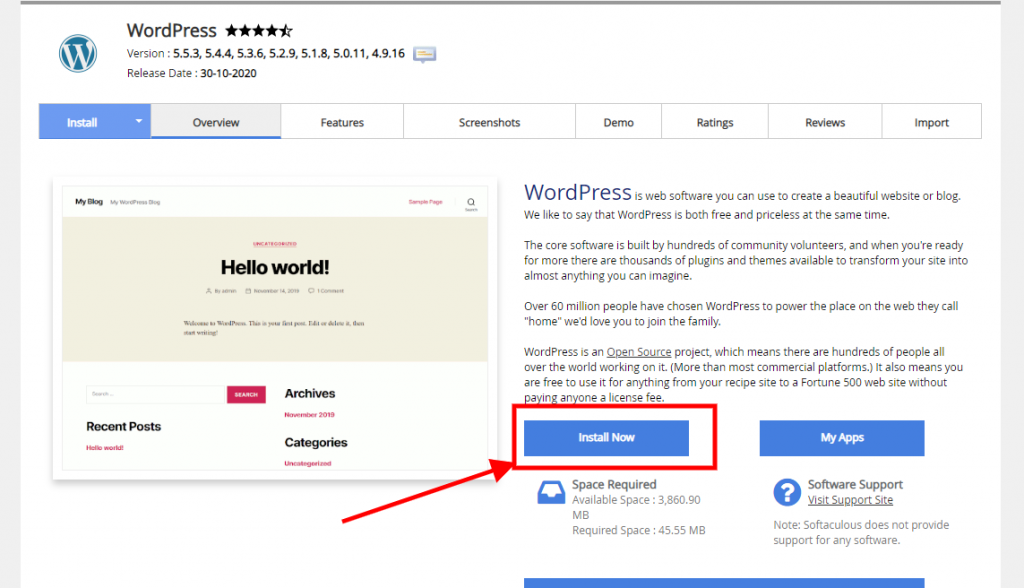
On the Next page there are some settings you need to set
I will explain everything to you
On the Image below, Delete the WP
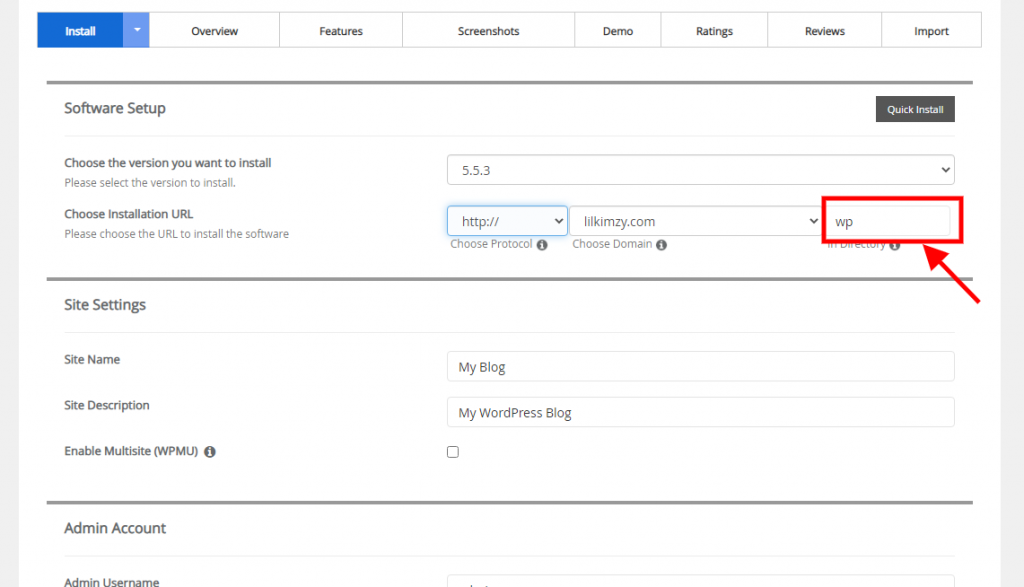
scroll down on same page to get to the image shown below
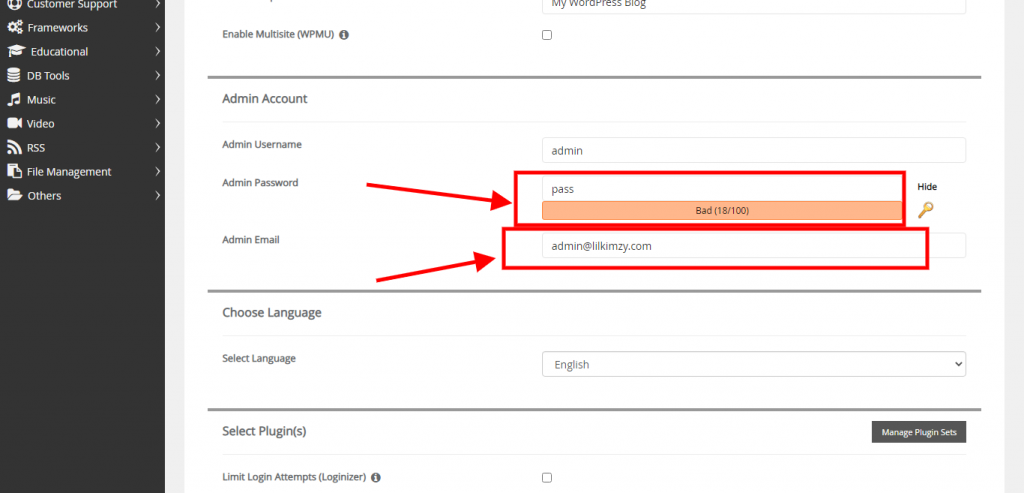
put a strong password… you can create a new password, or you can choose to use your hosting account password
Note: they are two different login. so try to remember your passwords
I will advice you use your hosting account password so you don’t forget
The next is your Admin email. An email with be created automatically for you with your domain name as seen below “admin@lilkimzy.com”
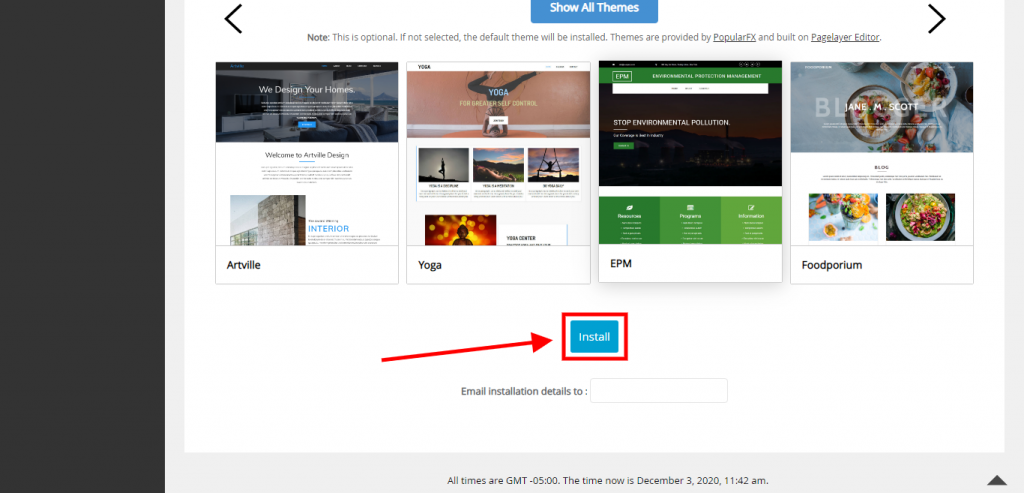
Scroll down and click the INSTALL BUTTON
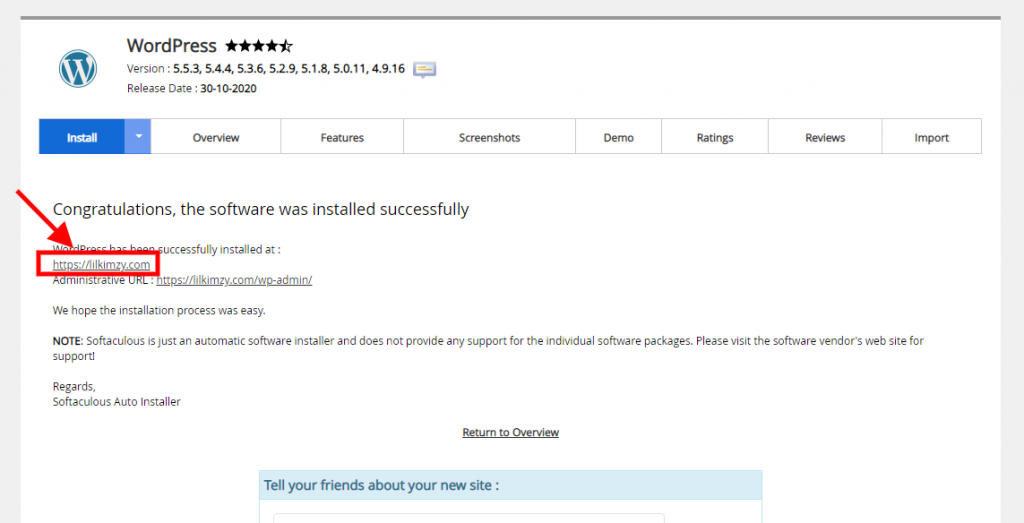
Your WordPress website will be installed successfully.
Click on the domain name to view your website
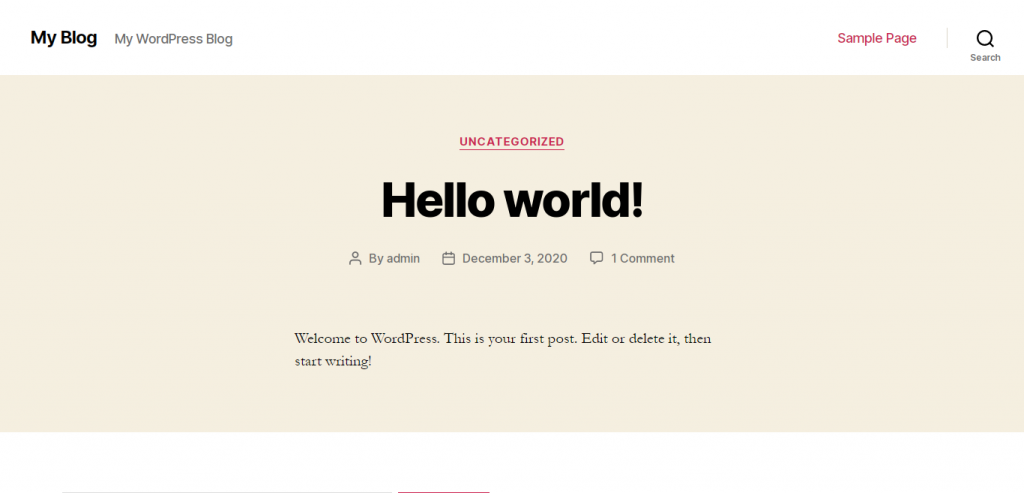
This is how your website will look like
What do you do next?
Let start designing the website by installing a theme to make the website look professional
Check out this post How to Install Astra Theme to install a theme on your website…
This is all you need to learn to be able to create a website for your business
If this article helped you please share it so your friends and family can learn how to create a website on WordPress just as you did now
If you need any help please contact me and I will be glad to help you set up your website for free.
Pingback: What is a Niche - Realjossy
Pingback: How To Successfully Run Your Home-Based Business - Realjossy
Pingback: Social Influence Marketing - Understanding Social Influence Marketing
Pingback: Checkout Process
Pingback: 39 Best Freelancing Websites To Find Remote Work Online
Pingback: How To Start Earning Passive Income From Your Hobbies
Pingback: How to Run a Successful Online Desktop Imagery Business -
Pingback: When Should You Build Your Portfolio - Building a portfolio
Pingback: Opt-In Subscribers - How to get your Opt-In subscribers to trust you quickly
Pingback: What is Attraction Marketing - Attraction Marketing Tips
Pingback: What is The Best Affiliate Program to Join - Which Program do I Choose
Pingback: Custom Made Calendar - How to Start a Custom Made Calendar Business
Pingback: WordPress Security Plugin - 22 Best WordPress Security Plugins
Pingback: Do it Yourself - How to Start a DIY Online Business
Pingback: How to Increase The Speed of Your Website on WordPress in 2021
Pingback: What is Affiliate Marketing - Step by Step Guide to Affiliate Marketing
Pingback: How to Start an Online Bookstore Business in 2021 - Bookstore Business
Pingback: Commercial Cleaning - How to Start a Commercial Cleaning Business
Pingback: How to Install Google Analytics in WordPress - Beginner's Guide
Pingback: 7 Multi-Currency WordPress Plugin For Your Wordpress Website
Pingback: 90 Most Common Marketing Acronyms You Should Know in 2021
Pingback: How to Use WordPress to Host Online Events | Realjossy
Pingback: What is Website Cache And How to Remove Website Caching | Realjossy
Pingback: eCommerce Tracking | How To Configure WordPress eCommerce Tracking
Pingback: How to Start a Blog And Make Money in 2021 | What is a Blog
Pingback: Wordpress Maintenance | How to Maintain Wordpress Website For Free
Pingback: Growth Hacking | Successful Growth Hacker Marketing Tips
Pingback: SEO For Law Firms | How to optimize SEO for Law firms
Pingback: How to start an online auction business | Online auction website
Pingback: What is a domain name registrar | what is a registrar for a domain name
Pingback: Classified Ads | How to Start an Online Classified Ads Business
Pingback: What is a Domain Name | How to Register a Domain Name
Pingback: Vps Hosting How to Manage VPS HOSTING